

1. Business Context
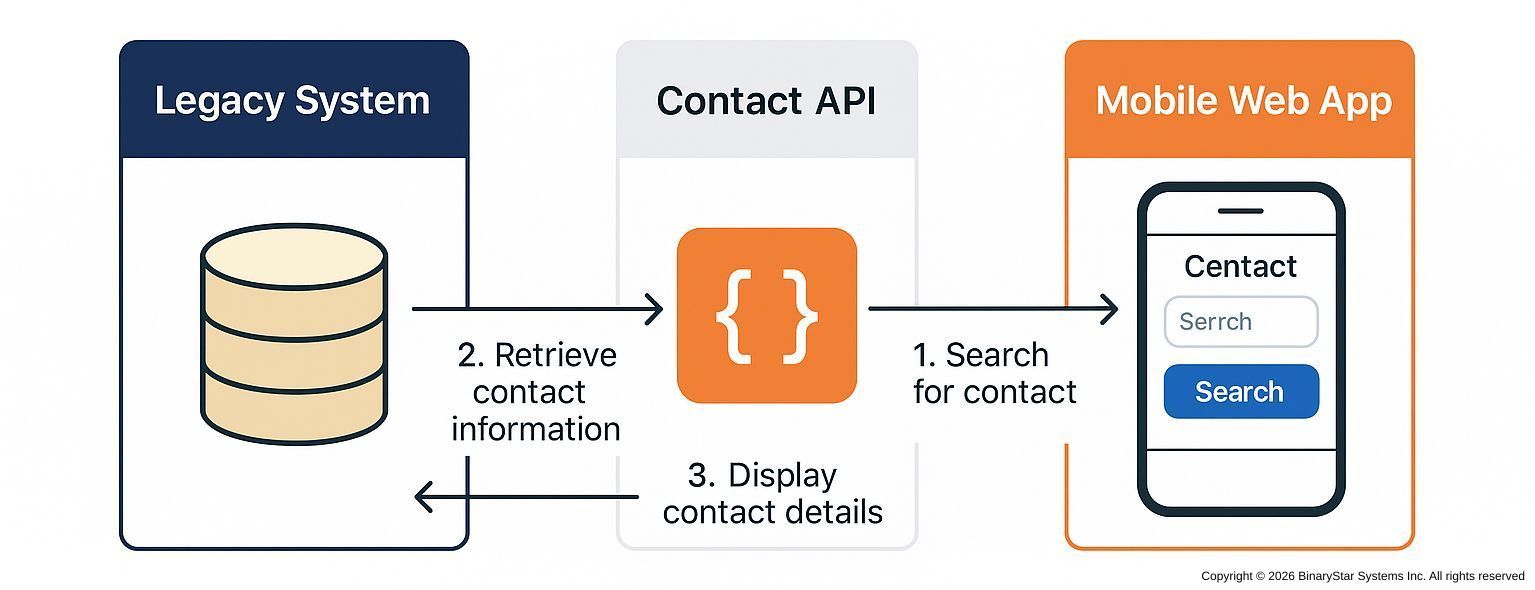
The company runs a stable, business-critical legacy system (PICK, etc.) that stores customer and vendor contact data. Today, if someone in the field needs an address or phone number, they call the office and ask someone to “look it up in the system.”
That wastes time, ties up internal staff, and introduces risk (“I wrote the number down wrong,” “I used an old address”).
We want to keep the legacy system in place, but expose just the basic contact info — name, address, and phone — through a secure API so a lightweight mobile web app can look it up on-demand.
No app store install. Just a phone browser.
2. Goal
Give authorized employees immediate, self-service access to accurate contact records from their phone, without giving them direct access to the legacy system.
3. Primary Actors
- Mobile Web App User Sales rep, driver, technician, installer, or auditor using a phone.
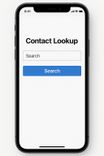
- Mobile Web App (Front End) A minimal, responsive site built for mobile use.
- Contact API (Middleware Layer) A RESTful API built with Node.js/Express or similar.
- Legacy System The system of record where contact data lives.
4. Trigger
A field user opens the mobile web app, searches for a customer by name or ID, and taps “View Details.” That request flows to the Contact API.
5. Preconditions
- The user is authenticated in the mobile app (username/password, SSO, or token).
- The Contact API has read access to the legacy data source (ODBC, service call, or replication).
- The mobile web app is permitted to call the API (CORS and network rules configured).
6. Main Flow

- User Action (Phone): User types “Smith Roofing” into the search box and taps Search.
- Front End → API Call:
The mobile app calls:
GET /api/contacts?name=smith%20roofing - API → Legacy Lookup: The API queries the legacy database for matching records.
Normalization & Cleanup:
The API flattens multi-valued legacy fields into JSON:
   {
     "contactId": "C-009477",
     "name": "Smith Roofing & Repair",
     "address": {
       "street": "42 Elm Street",
       "city": "Chicago",
       "state": "IL",
       "postalCode": "60610"
     },
     "phone": "+1-312-555-0187"
   }
API → Front End Response:

The mobile web app receives JSON and displays a clean contact card with:
- Contact Name
- Tap-to-call phone link
- Tap-to-open address in Maps
User Outcome:
The field user taps to call or navigate. No office involvement. No VPN.

Access to Information
7. Alternate / Exception Flows
- No Match Found
API returns
404 Not Found; app shows: “No contact found. Try another search.” - Multiple Matches The API returns a short list:

  [
    { "contactId": "C-009477", "name": "Smith Roofing & Repair",
      "phone": "+1-312-555-0187", "city": "Chicago, IL" },
    { "contactId": "C-118202", "name": "Smith Roofing Co","
      phone": "+1-847-555-4421", "city": "Evanston, IL" }
  ]
App shows a pick list for user selection.
- System Unavailable
API returns
503; app shows: “System temporarily unavailable.”
8. Postconditions
- Field users access live, accurate contact data instantly.
- Legacy remains the single source of truth.
- API logs who accessed what and when.
9. Why This Matters
| Benefit | Impact |
|---|---|
| Speed & Accuracy | Field users get verified data without calling the office. |
| No Rewrite Required | Legacy stays intact; we wrap, not replace. |
| Tight Control | API only exposes selected fields (name, address, phone). |
| Repeatable Pattern | Same approach can extend to orders, invoices, inventory, etc. |
10. Risk and Governance
- Security boundary lives in the API, not the legacy system.
- Revocation is instant — disable a user token and access ends.
- Audit-friendly — logs record every lookup, who made it, and when.
By adding this simple API, the company turns a closed, legacy database into a modern, mobile-ready data service. Employees get what they need in the field. IT retains control. And the organization establishes its first reusable modernization pattern — a simple API bridge between old and new.
Next Step:
🗓️ Schedule a discovery call
Talk about issues and opportunities for your current system before you commit.